
The inability to receive a verification code on an iPhone can be more than a minor annoyance; it’s a critical roadblock, often preventing access to essential services, banking, or social platforms. This issue, while seemingly straightforward, frequently stems from a complex interplay of network configurations, device settings, and carrier-specific protocols. As a Senior Technical SEO Expert, I've observed that a systematic diagnostic approach, akin to the 'Smart AI Fix' methodology, is paramount for efficient resolution. Understanding the underlying technical vectors is key to restoring functionality.
| Difficulty Level | Tools Needed | Estimated Time |
|---|---|---|
| Moderate | iPhone, Internet Connection, Access to Carrier Account (Optional), Computer for Backup (Optional) | 10-45 minutes (per step, can vary based on carrier interaction) |
Systematic Diagnosis: Pinpointing Verification Code Receipt Issues
Effective troubleshooting begins with a methodical check of the most common failure points before escalating to more intricate solutions.
Initial Network and Device Integrity Checks
Before delving into advanced settings, ensure the foundational elements are in place.
-
Network Connectivity Verification: Confirm your iPhone has a stable cellular signal (for SMS-based codes) or Wi-Fi connection (for app-based codes). A weak signal can delay or prevent SMS delivery. Test by sending a regular SMS to another number.
-
Do Not Disturb (DND) / Focus Mode Mitigation: Ensure no active Focus mode (e.g., Do Not Disturb, Sleep, Driving) is silently routing or suppressing notifications. Navigate to Settings > Focus and temporarily disable any active profiles.
-
Blocked Senders List Audit: It's possible the sender's number (often a short code) has been inadvertently blocked. Go to Settings > Messages > Blocked Contacts and review the list. Remove any entries related to the service from which you expect a code.
-
Correct Phone Number Validation: Double-check that the service you are trying to access has the absolutely correct phone number associated with your account, including the full international dialing code. A single digit error is enough to misroute the verification code.
iPhone System-Level Remediation
These steps address potential software glitches or misconfigurations within the iPhone's operating system.
-
Device Restart Cycle: A simple restart often clears transient software bugs or network registration issues. Power off your iPhone completely, wait 30 seconds, then power it back on.
-
iOS Version Integrity: Outdated iOS versions can harbor bugs that affect messaging services. Navigate to Settings > General > Software Update and install any available updates. Maintaining the latest iOS update is crucial for system stability and security.
-
Date & Time Synchronization: Incorrect date and time settings can interfere with secure communication protocols. Ensure your iPhone is set to "Set Automatically" under Settings > General > Date & Time.
-
Network Settings Reset: This action resets all network configurations (Wi-Fi passwords, cellular settings, VPN configurations) to their factory defaults without deleting personal data. Go to Settings > General > Transfer or Reset iPhone > Reset > Reset Network Settings. This can resolve underlying connectivity issues.
-
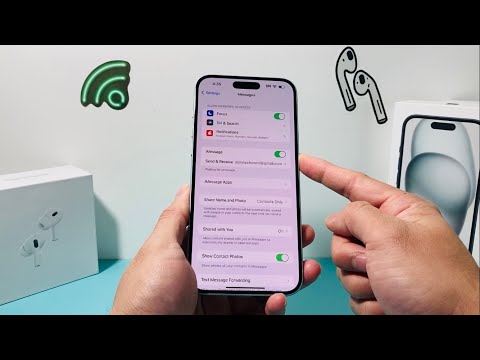
iMessage/FaceTime Toggle: In some scenarios, toggling iMessage and FaceTime off and then back on can refresh the messaging system. Go to Settings > Messages and toggle iMessage off, then back on. Repeat for FaceTime under Settings > FaceTime.
Carrier-Specific Interventions
Many verification code delivery issues are rooted in the cellular carrier's infrastructure or account settings.
-
Contact Your Cellular Carrier: This is often the most critical step if previous troubleshooting fails. Inquire about:
Any service outages in your area.
Whether your account has any blocks on receiving short codes or premium SMS messages.
If your SMS messaging service is fully active and provisioned correctly.
Specific known issues with sending or receiving verification codes from particular services.
-
SIM Card Re-insertion: Power off your iPhone, carefully remove the SIM card, inspect it for damage, then re-insert it securely. This can re-establish the connection with your carrier's network.
Pro-Tip: Investigating Carrier-Side SMS Firewall & Short Code Blocking

Beyond standard troubleshooting, a crucial, often overlooked technical aspect is the presence of carrier-side SMS firewalls and spam filters. Many cellular networks implement sophisticated systems designed to block unsolicited commercial messages (spam) and fraudulent activity. These systems sometimes misclassify legitimate verification codes from automated short codes as spam, preventing their delivery. If you're consistently failing to receive codes from multiple services, it's imperative to explicitly ask your carrier's technical support if there are any active SMS firewall rules, short code blocks, or spam filter configurations on your account that might be inadvertently interfering with inbound verification codes. Requesting a temporary whitelist for specific short codes or a review of your account's SMS filtering profile can often resolve stubbornly persistent issues that device-side fixes cannot address.
FAQ: Common Queries Regarding Verification Code Delivery
Q: Why do verification codes fail to arrive sometimes?
A: Verification code delivery failures are often multifactorial, ranging from transient network congestion and poor cellular signal strength to incorrect device settings (e.g., Focus modes), carrier-side SMS blocking, or an outdated operating system. Server-side issues from the sending service can also contribute.
Q: Can a VPN interfere with SMS codes?
A: Generally, a VPN (Virtual Private Network) should not interfere with standard SMS text message delivery, as SMS operates at a different layer of the network stack than IP-based data traffic routed through a VPN. However, if an app relies on IP-based push notifications for verification (less common for critical codes) and your VPN setup is overly restrictive or misconfigured, it could theoretically cause issues. For SMS, it's highly unlikely.
Q: What if I'm not getting codes from one specific app?
A: If the issue is isolated to a single application, the problem is likely with that app's backend or its SMS gateway provider. First, verify your phone number within that app's settings. Then, check the app's notification settings and ensure it's updated. Finally, contact the app's support directly, as they can investigate their delivery logs for your specific number.
Conclusion
The systematic approach outlined, mirroring the precision of a 'Smart AI Fix' diagnostic, is designed to methodically address the various potential failure points preventing verification code receipt on your iPhone. By starting with basic checks and progressively moving towards network resets and carrier-level engagement, you can effectively diagnose and mitigate these frustrating communication breakdowns. Remember, persistent issues often point to carrier-side configurations that only direct communication with your provider can resolve. Ensuring your iPhone's software is current and all network settings are optimized forms the bedrock of reliable mobile communication.
